CTWA Ads & the 72-Hour Window: Convert More Leads
CTWA Ads: How to Turn a WhatsApp Click Into a Customer
You’ve paid for the click.
Now what happens after “Hi”?
That’s the part most businesses overlook.
A customer sees your ad on Facebook or Instagram, taps “Send Message,” WhatsApp opens, and they start a conversation with your business.
That journey is called Click-to-WhatsApp - or CTWA.
And when you combine CTWA with the right WhatsApp automation, an ad click doesn't have to end with a single reply.
It can become:
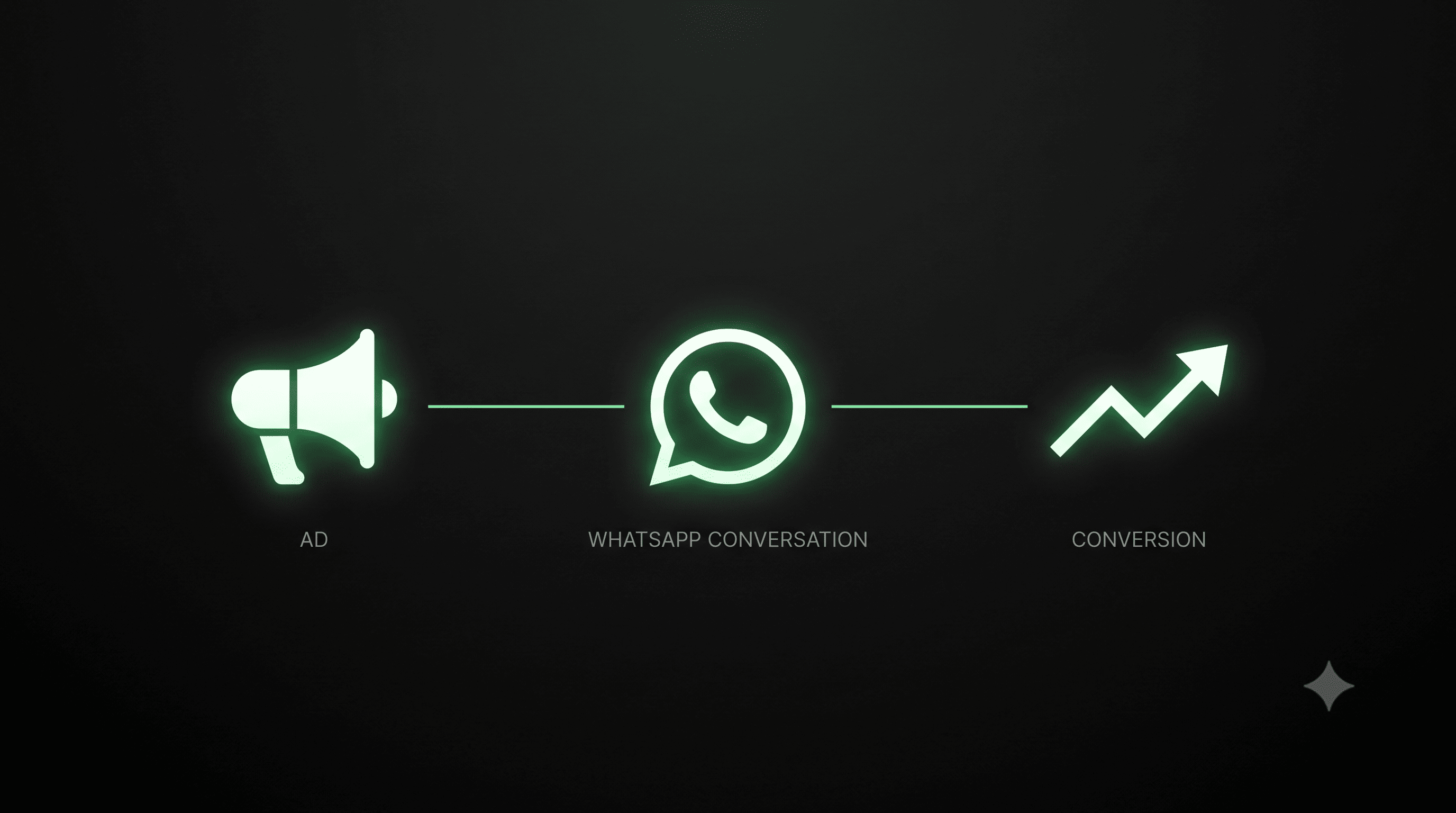
Ad → WhatsApp → Qualification → Follow-up → Conversion
There’s another reason CTWA deserves attention: eligible conversations that begin through certain Meta entry points can trigger a 72-hour Free Entry Point (FEP) window, giving businesses an opportunity to continue the conversation with eligible messages without the usual Meta messaging charge during that window.
But there are a few important rules around how that works.
So let's start from the absolute beginning.
First Things First: What Is a CTWA Ad?
CTWA = Click-to-WhatsApp Ad.
It's a Meta ad that lets a customer start a WhatsApp conversation with your business directly from the ad.
Instead of sending the customer through multiple steps:
Ad → Website → Landing Page → Form → Submit → Wait for Sales
the journey becomes:
Ad → WhatsApp → Conversation
That's the whole idea.
Imagine this.
You're scrolling Instagram.
You see:
Looking for a 2BHK in Indore?
Get pricing, availability and a free consultation on WhatsApp.[Send WhatsApp Message]
You tap the button.
WhatsApp opens.
You send:
“Hi, I want to know more.”
That's a CTWA journey.
The ad created the entry point.
WhatsApp became the conversation layer.
And what happens next determines whether that conversation becomes a lead, booking or sale.
Why Do Businesses Use CTWA Ads?
Because there's very little friction.
Think about the difference.
With a traditional lead ad:
“Fill out this form.”
The customer has to enter information, submit it, and wait.
With CTWA:
“Want to know more? Message us.”
One tap.
WhatsApp opens.
Conversation starts.
For businesses where customers naturally ask questions before buying, this can be especially useful.
Think:
Real estate
Restaurants
Education
Travel
Healthcare
Automotive
Ecommerce
Beauty & wellness
SaaS
Local services
The customer doesn't have to figure out what to do next.
They simply start talking.
Okay, But Where Do You Actually Create a CTWA Ad?
This is important.
CTWA Ads are created through Meta Ads Manager, not from inside a regular WhatsApp chat.
Here's the basic setup.
01 - Open Meta Ads Manager
Create a new campaign designed to generate conversations/messages.
02 - Choose WhatsApp as the messaging destination
Your campaign needs to be configured so that the customer is taken to WhatsApp when they interact with the ad.
03 - Connect your WhatsApp Business account
The WhatsApp Business number you want customers to message needs to be connected to your Meta business setup.
04 - Choose your audience
Now decide who should see the ad.
For example:
Restaurant:
People around your service area.
Real Estate:
People interested in properties in your target market.
Education:
Students or parents looking for relevant courses.
SaaS:
Business owners or teams likely to need your product.
05 - Create the ad
Your creative should give the customer a reason to start a conversation.
For example:
Not sure which plan is right for your business?
Tell us what you're trying to automate and we'll help you choose.[Send WhatsApp Message]
Now the ad isn't simply asking for a click.
It's giving the click a purpose.
What Happens After the Click?
Let's follow one customer.
Your ad
“Get a free consultation on WhatsApp.”
↓
Customer taps
Send Message
↓
WhatsApp opens
↓
Customer messages
“Hi, I’m interested.”
↓
Your business responds
And this is where something interesting can happen.
The 24-Hour Rule → The 72-Hour Opportunity
This is the part that gets misunderstood most often.
When a customer starts a WhatsApp conversation through an eligible Click-to-WhatsApp Ad or Facebook Page call-to-action, the conversation can qualify for Meta's Free Entry Point mechanism.
The business needs to respond within the applicable 24-hour period.
When the requirements are met, a 72-hour Free Entry Point window can open.
During that window, eligible messages can be sent without the usual Meta messaging charge.
The flow looks like this:
Customer enters from eligible Meta entry point
↓
Customer sends a message
↓
Business responds within 24 hours
↓
FREE ENTRY POINT OPENS
↓
72-HOUR WINDOW
↓
Continue the conversation
↓
Convert
Simple?
There's one crucial distinction:
The 72-hour window is not 72 hours of free advertising.
Your Meta ad spend is still your ad spend.
The benefit applies to eligible WhatsApp messaging during the Free Entry Point window.
And the conversation must actually meet Meta's eligibility requirements.
Wait - What's the Difference Between 24 Hours and 72 Hours?
This is where people often mix things up.
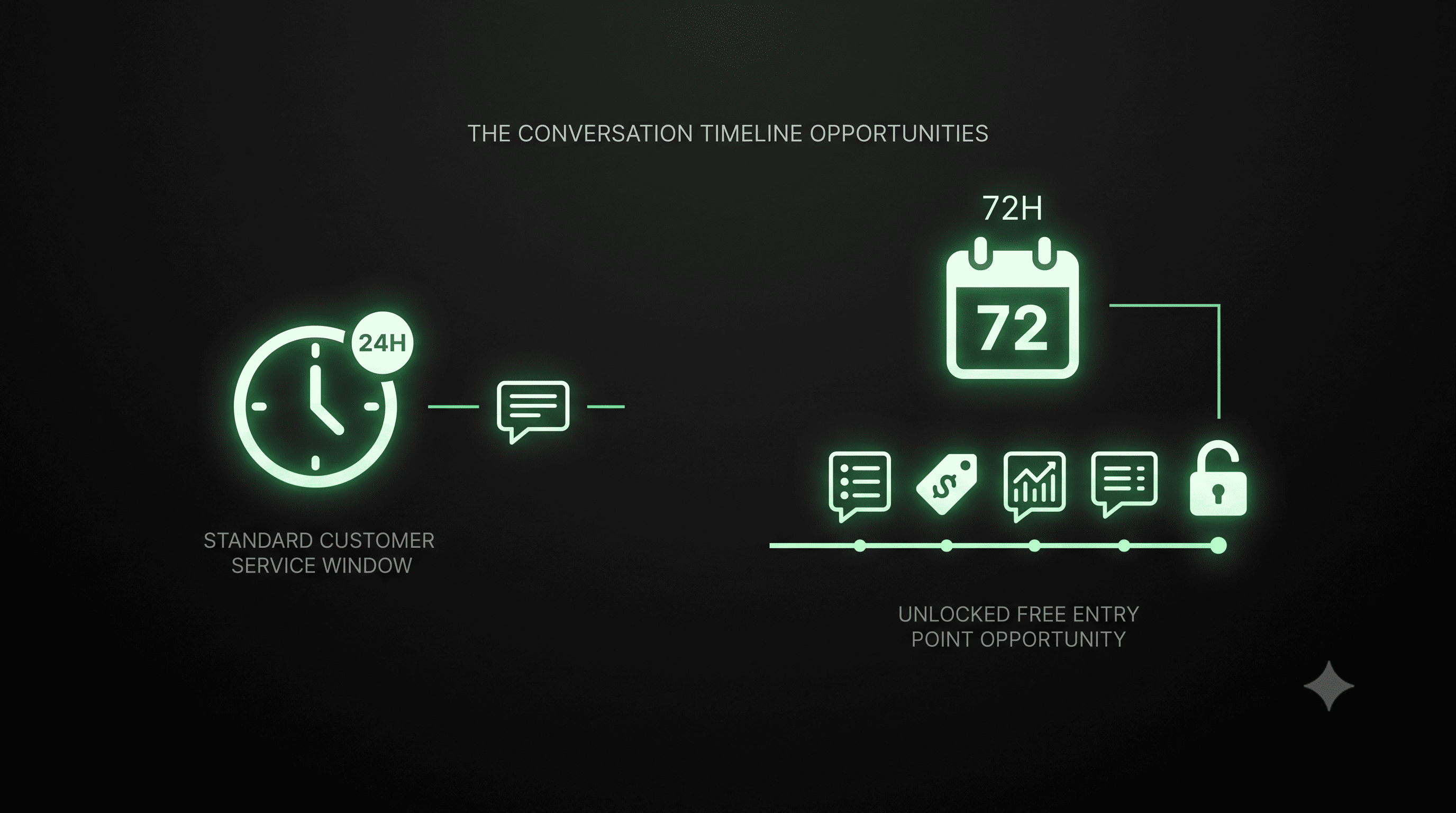
The 24-hour window
This is the standard customer-service messaging window that begins when a customer messages your business.
It determines when businesses can respond with free-form customer service messages under WhatsApp's normal rules.
The 72-hour Free Entry Point window
This is a special window associated with an eligible Free Entry Point, such as an eligible Click-to-WhatsApp Ad or Facebook Page CTA.
If the required response happens within the applicable 24-hour period, the 72-hour FEP window can be activated.
So don't think:
“Customer clicked my ad = 72 hours automatically.”
Think:
Eligible entry → customer messages → business responds appropriately within 24h → FEP window → 72h opportunity
That distinction matters.
And Facebook Pages Can Be Part of This Too
CTWA isn't limited to ads.
A customer can also start a WhatsApp conversation through an eligible Facebook Page call-to-action.
For example:
Your Facebook Page has:
Message us on WhatsApp
A customer taps it.
WhatsApp opens.
They start a conversation.
If the conversation qualifies for the Free Entry Point mechanism and the business responds within the applicable timeframe, the same 72-hour opportunity can come into play.
So you can think of your customer entry points as:
Facebook/Instagram Ad
or
Facebook Page CTA
↓
↓
Conversation
The source brings the customer in.
Your business decides what happens next.
Now Comes the Real Question:
What Should You Actually Do During Those 72 Hours?
Here's where CTWA becomes much more than an advertising feature.
Let's say a customer clicks your ad and says:
“How much does it cost?”
The average business replies:
“₹15,000.”
And waits.
That's a missed opportunity.
Instead, imagine:
Customer
How much does it cost?
AI Agent
It starts at ₹15,000. Are you looking for the standard plan or the advanced plan?
Customer
Advanced.
AI Agent
Perfect. The advanced plan includes X, Y and Z. Want me to show you how it works?
Now you've moved from:
Question → Context → Intent
And that's where conversion starts becoming possible.
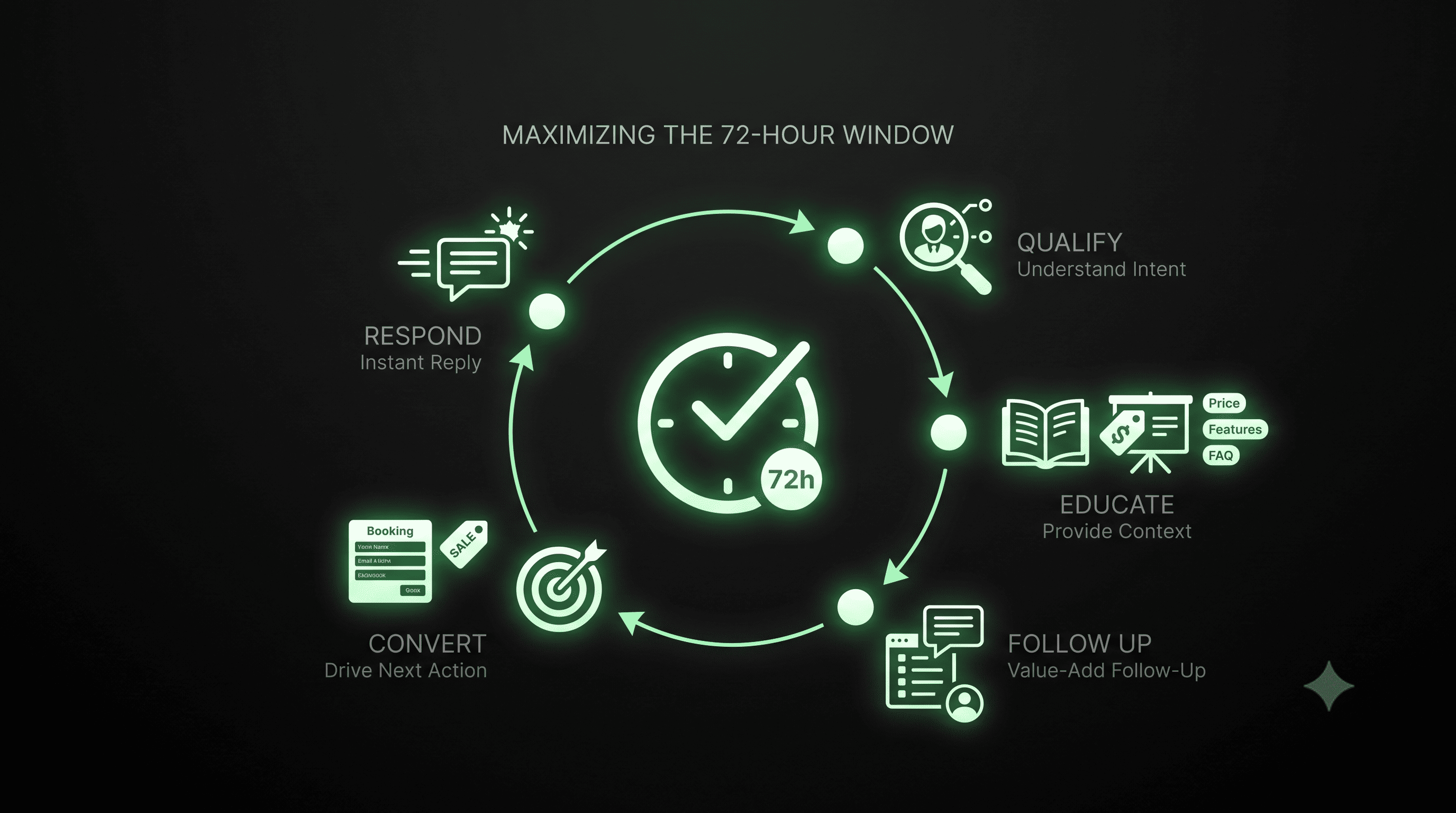
Your 72-Hour Window Should Have a Job
Don't use it simply because it's available.
Give each stage a purpose.
First few hours
RESPOND
The customer shouldn't have to wait.
A fast response keeps the conversation alive while intent is fresh.
Next
QUALIFY
Find out what the customer actually wants.
Ask useful questions.
Don't interrogate them.
Then
EDUCATE
Give them the information they need:
Pricing
Features
Reviews
Case studies
FAQs
Product recommendations
Availability
Whatever helps them make a decision.
Then
FOLLOW UP
If they haven't converted yet, don't just send:
“Just following up.”
Give them a reason to reply.
For example:
“You mentioned you're looking for a plan for a 10-person team. Based on that, this option might be a better fit…”
Now the follow-up feels like help, not chasing.
Finally
CONVERT
Make the next action obvious.
Book a demo.
Place an order.
Schedule an appointment.
Talk to sales.
Complete the booking.
The goal isn't more messages.
The goal is movement.
Marketing vs Utility Templates: What Can You Send?
This is another important piece of the puzzle.
WhatsApp templates can have different purposes, including Marketing and Utility.
Marketing
These are promotional or engagement-oriented messages.
For example:
“Still thinking about it? Get 15% off your first order this week.”
Utility
These are typically transactional or service-related messages.
For example:
“Your appointment is confirmed for tomorrow at 4 PM.”
During an eligible Free Entry Point window, qualifying Marketing and Utility messages can be sent without the usual Meta messaging charge.
But remember:
Free doesn't mean unrestricted.
Template approval, category rules, messaging policies and Free Entry Point eligibility still apply.
So don't build your strategy around:
“How many messages can I send?”
Build it around:
“Which message will actually help this customer move forward?”
Here's a Quick Test
You get a new WhatsApp lead.
They say:
“I saw your ad. Can you send details?”
Which response is better?
A
“Sure.”
B
“Sure! What would you like to know?”
C
“Absolutely! 👋 I can help. Are you mainly looking for pricing, features, or recommendations?”
C.
Why?
Because it doesn't just answer.
It opens the next step.
That's the difference between replying to a lead and converting a conversation.
A CTWA Example: From Ad to Sale
Let's take a restaurant.
THE AD
Weekend Dinner for Two - ₹999 🍽️
Want the menu?[Send WhatsApp Message]
↓
CUSTOMER
Hi, menu please.
↓
AI AGENT
Absolutely! 👋 Are you interested in the ₹999 dinner-for-two offer or our full menu?
↓
CUSTOMER
Dinner offer.
↓
AI AGENT
Perfect. Here's what's included…
Menu + details sent
↓
AI AGENT
Would you like me to check availability for tonight?
↓
CUSTOMER
Yes.
↓
AI AGENT
Checks/starts booking flow
↓
CUSTOMER
Booking confirmed.
Look at what happened.
The customer didn't simply:
“Message the restaurant.”
They went through:
Ad → Conversation → Intent → Information → Booking
That's the real value of CTWA.
Now Add AI to the Equation
This is where things get really interesting.
Because CTWA creates conversations.
But conversations need responses.
And businesses aren't always available.
A customer might click your ad at:
11:47 PM.
Your team might see it at:
10:15 AM.
That's a long time to leave someone hanging.
An AI Agent can respond immediately.
It can handle repetitive questions such as:
“What's the price?”
“How does it work?”
“Do you deliver here?”
“What plans do you have?”
“Can I book tomorrow?”
It can qualify the customer.
It can share relevant information.
It can guide the conversation.
And when the customer is ready for a human:
Hand the conversation to your team.
So instead of replacing your sales team, automation can help your team spend more time on high-intent conversations.
CTWA + AI = A Conversational Funnel
Think of your entire system like this:
ATTRACT
Facebook + Instagram Ads
↓
START
Click-to-WhatsApp
↓
RESPOND
Instant WhatsApp response
↓
UNDERSTAND
AI qualification
↓
NURTURE
Relevant information + eligible messaging
↓
FOLLOW UP
Continue the conversation during the available window
↓
CONVERT
Booking / Order / Demo / Sale
↓
HAND OFF
Human team when needed
That's not just lead generation.
That's conversational selling.
But Don't Turn 72 Hours Into 72 Hours of Spam
This is worth saying again.
Just because a messaging window exists doesn't mean you should bombard people.
Nobody wants:
Hey 👋
Just checking in…
Hello?
Did you see my message?
Last chance!!! 🔥🔥🔥
The best follow-up is contextual.
If they asked about price:
Talk about price.
If they asked about delivery:
Talk about delivery.
If they asked which product suits them:
Help them choose.
If they're ready to buy:
Help them buy.
Automation should make conversations more relevant.
Not more annoying.
5 CTWA Mistakes That Cost Businesses Conversions
01. Getting the click but ignoring the conversation
A CTWA lead isn't valuable because they clicked.
It's valuable because they started talking.
02. Responding too late
Interest has a shelf life.
If your response takes hours, the customer may already be talking to someone else.
03. Sending the same message to everyone
A customer asking for pricing shouldn't receive the same journey as someone asking for support.
Context matters.
04. Treating the 72-hour window like a loophole
It isn't.
It's an opportunity governed by Meta's eligibility and messaging rules.
Use it strategically.
05. Measuring only cost per conversation
Don't stop at:
₹X per WhatsApp conversation.
Go further.
Track:
Ad Spend
↓
WhatsApp Conversations
↓
Qualified Leads
↓
Conversions
↓
Revenue
Because the cheapest lead isn't always the most valuable lead.
The Bigger Idea Behind CTWA
Here's the shift businesses need to make.
Don't think:
“We're running WhatsApp ads.”
Think:
“We're bringing high-intent customers into a conversation.”
The ad gets attention.
The click creates the entry point.
WhatsApp captures the conversation.
Automation keeps the conversation moving.
Your sales team handles the moments that need humans.
And the conversion happens somewhere in between.
So, Is CTWA Just Another Lead Generation Channel?
Not really.
It's better understood as a conversation-first acquisition journey.
Because the customer doesn't just submit their details and disappear into a CRM.
They can start talking immediately.
And that gives your business something incredibly valuable:
Context.
You know:
What they clicked.
Why they messaged.
What they're asking.
What they're interested in.
How ready they are.
And that context can make every next message more relevant.
The Real Opportunity Isn't the Click
Anyone can run an ad.
The smarter question is:
What happens after the click?
If the answer is:
“Someone from sales will call them later.”
You're leaving a lot of the journey to chance.
If the answer is:
“They get an immediate response, the conversation is understood, the lead is qualified, relevant information is shared, follow-ups happen at the right time, and high-intent leads are handed to our team.”
Now you have a system.
And that's where CTWA becomes powerful.
Final Takeaway
A Click-to-WhatsApp Ad is not the destination.
It's the door.
The customer clicks.
The conversation begins.
An eligible Free Entry Point can open a 72-hour window.
And what your business does during that window can determine whether that conversation becomes:
just another WhatsApp chat
or
a customer.
So don't just optimize for clicks.
Don't just optimize for conversations.
Build the journey after the click.
Ad → WhatsApp → AI → Qualification → Follow-up → Conversion
Because you already paid to get the customer to the conversation.
Now make the conversation count.
Turn Your CTWA Leads Into Automated Conversations
With Nextel, businesses can use AI-powered WhatsApp automation to respond to customers, answer questions, qualify leads, follow up and route high-intent conversations to their team.
**Your ad gets the customer to WhatsApp.
Nextel helps you take the conversation forward.**